Identity & portal access
FreeIPA replaced the directory role. The Laravel portal signs in through LDAP with StartTLS and maps users to application permissions.
Engineering case study / Eren · Web & Tech
A custom employee and admin portal, backed by a targeted modernization of Windows Server domain services, identity and recovery infrastructure.
01 / Problem & scope
The work extended beyond building a portal. Identity, network services, device provisioning and backups needed an operating model that could be maintained together.
The project records document the retirement of Active Directory in May 2026 and the migration of specific domain services. Windows remained part of the environment; the scope was a deliberate change of service roles.
FreeIPA replaced the directory role. The Laravel portal signs in through LDAP with StartTLS and maps users to application permissions.
Linux services using BIND and ISC DHCP took over name resolution and address assignment.
Directory identity connects to Mosyle provisioning and local Mac accounts. Device management remains a distinct integration.
Windows 11 Pro Hyper-V hosts continue to run the virtual machines. Windows workstations use local accounts; this was not a replacement for Group Policy.
02 / Architecture
A logical view of the application, its private integrations and the separate hosting and recovery plane.
User interface
Employee and admin workflows.
The interface served by the Laravel application.
Application boundary
AlmaLinux virtual machines.
Laravel 11 on PHP 8.2 handles requests, sessions and application permissions.
Persistent application records and queued background work.
Integration boundary
Identity, devices and network services.
Portal sign-in over LDAP with StartTLS.
Device API: mutual TLS / step-ca. Mosyle: Mac management integration.
BIND / ISC DHCP snapshots and UniFi network integration.
Underlying infrastructure
Supports the environment independently of the application request flow.
Windows 11 Pro Hyper-V hosts retain the VM infrastructure beneath the application and Linux services.
A separate PowerShell toolkit manages reference points, differential exports, verified transfer journals and acknowledgments, standby retention and compaction.
Isolated restore checks and fenced manual failover are distinct from portal features. There is no portal restore button.
03 / Engineering decisions
How application design and infrastructure support the way the product works.
Directory sign-in establishes identity. Database role mappings support manual and directory-based assignment of application permissions.
Signing in and being allowed to perform an action are separate decisions.
Inactivity handling, password confirmation for sensitive actions, email two-factor authentication and recovery, and security events are implemented in the portal.
Security controls extend beyond the login screen.
Device provisioning uses queued jobs and drift checks, rather than relying on a single browser request to complete an operational change.
Long-running work has an explicit place in the application.
Public HTTPS uses Let’s Encrypt. The device API uses mutual TLS with step-ca, while directory sign-in uses LDAP with StartTLS.
Browser traffic, device access and identity each have their own trust boundary.
FreeIPA, BIND and ISC DHCP take on defined responsibilities while Hyper-V and Windows workstations remain in the environment.
A bounded migration keeps the remaining operating model explicit.
The PowerShell recovery toolkit records transfer completion and acknowledgments, manages standby retention, and supports isolated restore and fenced manual failover.
A backup record and a demonstrated production recovery are different evidence.
04 / Implementation & demo
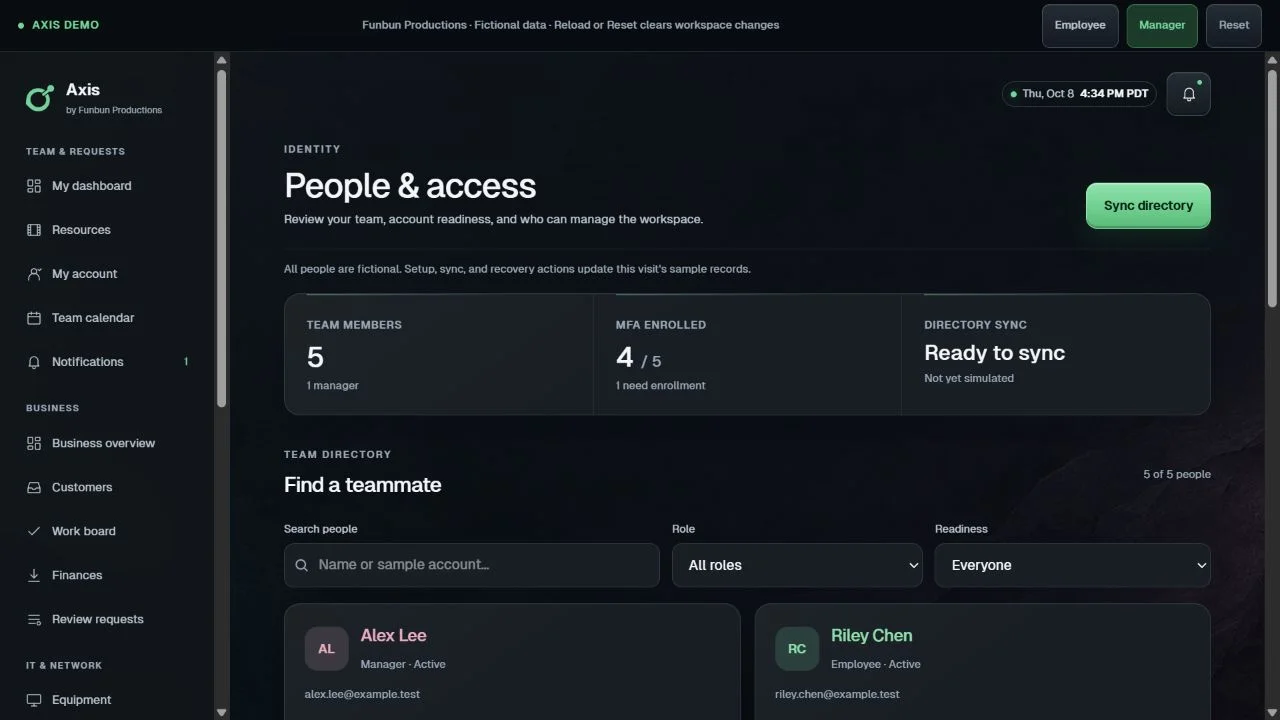
The public demo makes the workflows easy to try. This comparison explains the boundaries.
| Capability | Full implementation | Public demo |
|---|---|---|
| Application | Laravel / Vue / Inertia employee and admin portal. | Separate Vue / Vite interface with a Manager or Employee persona chooser. |
| Data | Persistent MariaDB records and a database-backed job queue. | Fictional records held in memory. Changes reset on reload; expanded CRM and finance workflows illustrate the demo concept. |
| Access | Directory authentication and database-mapped permissions, with additional session and sensitive-action controls. | Personas let visitors explore the interface without authenticating to the real environment. |
| Integrations | Identity, device provisioning and network-service integrations. | Sample statuses and interactions. No real email delivery or device commands. |
| Recovery | Separate Hyper-V recovery toolkit and recorded backup / isolated restore checks. | The demonstration does not operate the backup infrastructure. |
05 / Recorded outcomes · September 2026
The September 8, 2026 delivery record accepted incremental backups for five production VMs. The observed run included standby preparation, publication and cleanup.
Records show isolated, selected service checks for all five VMs. The captures are crash-consistent; full production failover and recovery time were not measured.
Authenticated identity and phone workflows remained untested in those restore checks. These records document observed work and do not assert current operational health.
About 1.46% of the 99.384 GB baseline.
Includes standby preparation, publication and cleanup.
Rounded from the recorded 1.451701386 GB payload, 99.384466270 GB baseline and 47m 55.60s run. GB uses decimal units. Export payload is not network traffic or a daily forecast; backup duration is not recovery time.
Based on implementation and delivery records from May–September 2026. Operational identifiers have been omitted.
From the engineering to the everyday
Explore the fictional workflows, or read how Axis can fit your operating environment.