
01 / HOSTED
Open a browser.
Get to work.
A workspace hosted in an agreed environment, with configuration and ongoing care scoped around your needs.
Workspace URL / Hosting / Support

Axis / A business workspace
Manage team requests, assign tasks, track customer follow-ups and keep invoices and expenses in one workspace.
A working demo. Fictional data. No sign-in.
A few less places to look.
Team requestsShared workCustomersFinancesEquipment02 / A NEXT STEP, NOT ANOTHER TAB
Finish a subtask. Answer a request. Follow up with a customer. The next action and the details belong together.
These are fictional examples. Changes stay on this page.
 Axis / A little work, in motion
TRY A SMALL ACTION
Northstar Bakery / Holiday campaign
Try a small action. See what stays with the work.
03 / ONE WORKSPACE, DIFFERENT PERSPECTIVES
The people, the work and the details.
Look around the actual Axis interface.
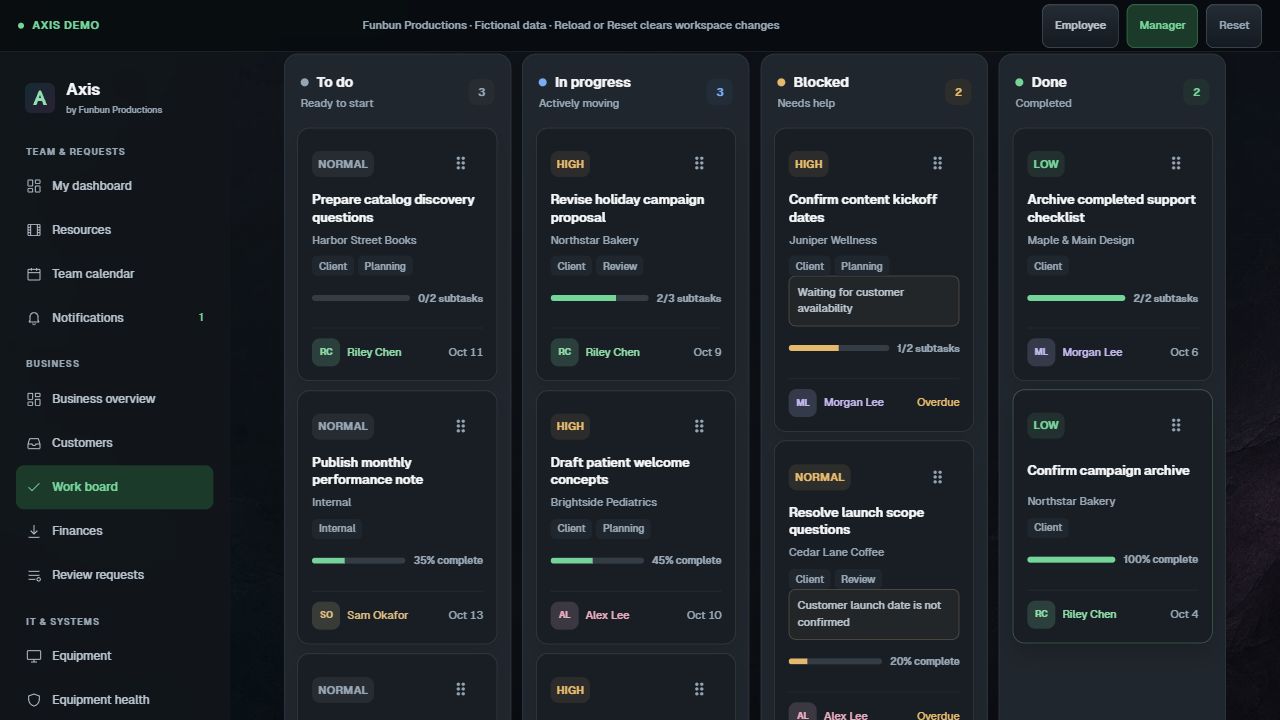
Tasks, subtasks, owners and comments. Give the work a next step and keep the conversation with it.
Explore shared work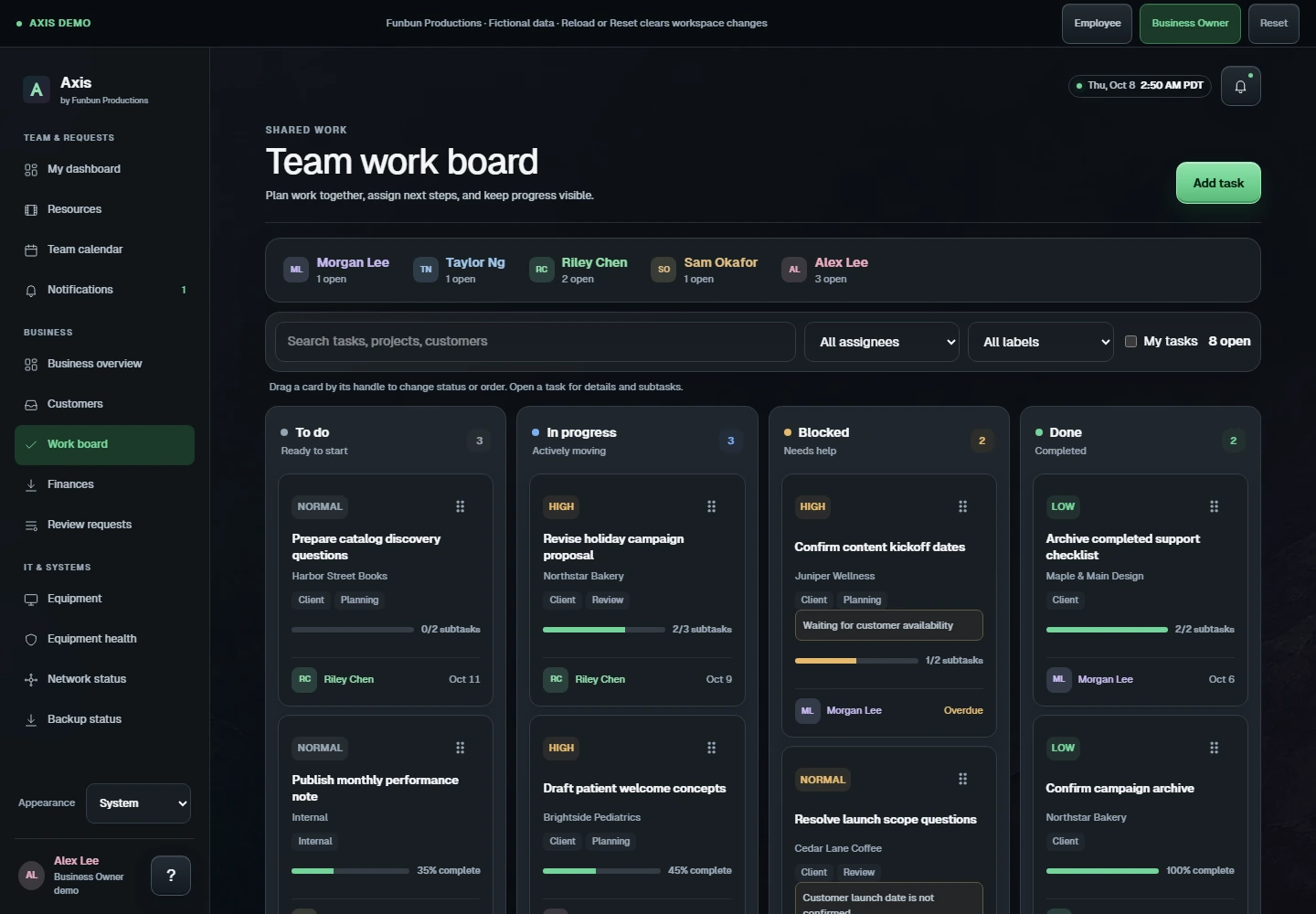 Open this view in the demo
 Actual demo interface. A closer look at the demo. All records are fictional. Switch to Business Owner to explore business views.
04 / KEEP THE THREAD
An equipment request should not become
a search through three conversations.

Employees submit a focused form. Owners review, assign and reply. The employee can find the response in request history and in-app updates.
Try a request05 / MADE TO FIT YOUR BUSINESS
Axis is a custom implementation. Your people, access, workflows and operating environment shape how it is set up.
Integrations, commercial terms and support responsibilities are agreed before work begins.
THE PRACTICAL DETAILS
Try the Employee and Business Owner views, submit a request, update shared work, complete a follow-up or record a sample payment. All people and records are fictional. Changes live in browser memory; reload or Reset starts a fresh session. No real login, emails, payments, uploads or device commands take place.
Your workspace would be a separate implementation, configured for your real users, records, access requirements and environment. Forms, roles and workflows are discussed as part of that setup.
Connections and data migration are scoped for your project. The demo has no live third-party integrations, banking connections or network-controller access.
Hosting, access, backups, maintenance and support responsibilities are agreed for your chosen setup before implementation. A local installation runs on infrastructure you control; a hosted workspace runs in an agreed hosting environment.
Start with the things your team spends time chasing. Explore Axis, then think about what a workspace could bring together for you.
For your setup conversation
Who needs access, and what should they see?
Requests, projects, customers and finances.
Hosted or local, and expectations for ongoing care.